Setting Up Your Online Store with Sellstart: A Basic Guide
This beginner-friendly guide walks you through the essential steps to configure your online store on Sellstart, covering general settings, delivery options, tax management, and store policies. Follow the simple instructions to create a seamless shopping experience for your customers and optimize your store's performance.
After you've created an account and logged in to Sellstart, it's essential to configure your online store to ensure it runs smoothly and meets your business needs. Follow these simple steps to get started:
Access the Store Settings
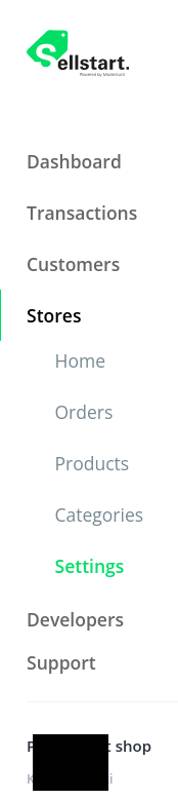
From the main dashboard, navigate to the left-hand side menu and click on "Stores."
You will then see a drop-down menu with orders, products, categories, and your Store settings.
Once you have at least one store, click on the "Settings" option located in the drop-down menu.
General Settings
In the "General" tab, you can provide essential information about your store, such as its name, currency, language, about us description, business contact details, support contact information, and social media accounts. Fill in the required fields and click "Save" when you're done.
You can also set if this shop is active, or not.
Delivery Options
In the "Delivery options" tab, you can set up shipping options for your store.
Define shipping rules, shipping methods, and any additional fees that may apply, simply by clicking edit.
Remember to click "Update" after you've made your changes.
Taxes
To manage tax settings, navigate to the "Taxes" tab.
Here, you can configure tax rates based on the location of your customers. Input the tax rates for each region, and click "Add Tax" to store your changes.
Policies
Finally, in the "Policies" tab, you can create or edit your store's privacy policy, terms of service, and return policy.
Make sure to include all necessary information to ensure customers are well-informed about your store's rules and procedures.
That's it! Your store is now set up and ready for you to add products and start selling. As you become more familiar with Sellstart, you can explore additional settings and customization options to further optimize your store and enhance your customers' shopping experience.